
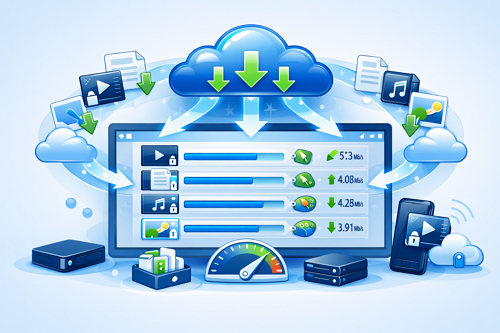
How to Manage Multiple Downloads Efficiently Without Losing Speed
Downloading several files at once can be convenient, but it often leads to slower speeds and unstable transfers. Whether you’re using Keep2Share for large archives, videos, or documents, managing multiple downloads correctly can help you maintain better performance and avoid frustrating interruptions.
-> Go to k2s.cc and create Premium Account
Why Simultaneous Downloads Affect Performance
Every active download uses part of your available internet bandwidth. When too many files compete for the same connection, download speeds can drop significantly.
Common reasons for slowdowns include:
- Limited internet bandwidth
- Too many active downloads at the same time
- Streaming services or background updates consuming data
- File-hosting server limitations
- Wi-Fi signal instability
Understanding these factors makes it easier to optimize your setup.
Best Practices for Faster Multi-File Downloads
To keep downloads running smoothly:
- Limit active downloads to 2–3 files simultaneously
- Use a reliable download manager to organize transfer queues
- Pause large downloads when prioritizing urgent files
- Close unnecessary applications that use internet bandwidth
- Prefer a wired Ethernet connection over Wi-Fi when possible
- Keep your device free from unnecessary background processes
Recommended Download Settings
| Setting | Recommended Option | Advantage |
|---|---|---|
| Active Downloads | 2–3 Files | Prevents bandwidth congestion |
| Connection Type | Ethernet | More stable performance |
| Download Manager | Enabled | Better file control |
| Background Activity | Minimal | More available bandwidth |
| Download Schedule | Off-Peak Hours | Less network congestion |
Additional Tips for Consistent Speed
- Restart your router occasionally to refresh the connection
- Download large files during quieter internet usage periods
- Keep network drivers and software updated
- Consider premium file-hosting plans for higher speed limits
Managing multiple downloads efficiently is less about downloading everything at once and more about balancing your available bandwidth. A few simple adjustments can lead to faster transfers, fewer interruptions, and a smoother overall experience.
If you’re looking for secure methods to send personal content online, check out our guide on safe and private video transfers for additional tips and best practices.
-> Go to k2s.cc and create Premium Account

