
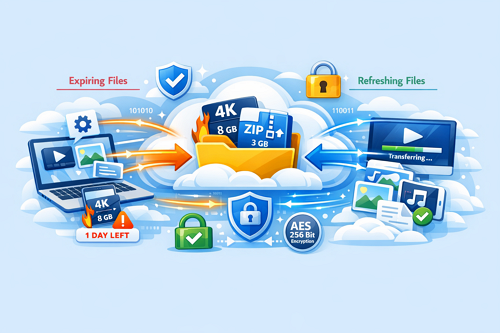
How to Share Large Files Without Email Limits Efficiently
Email is convenient for quick messages, but it’s not built for transferring large files. Most email providers restrict attachments to around 20–25 MB, making it difficult to send videos, high-resolution documents, or design projects. Thankfully, there are smarter, faster, and secure ways to share files without worrying about email limits.
-> Go to k2s.cc and create Premium Account
Why Email Struggles With Large Files
Email servers aren’t optimized for heavy uploads. Large attachments can:
- Slow delivery or clog inboxes
- Bounce back entirely if too big
- Cause delays for teams and professionals
For ongoing projects, relying on email alone can hurt productivity, which is why cloud storage and file hosting services are essential.
Best Methods to Share Large Files
- Cloud Storage Platforms – Upload files to Google Drive, Dropbox, or Keep2Share and share a secure link.
- File Hosting Services – Keep2Share allows fast, unlimited file transfers with premium plans.
- Compression Tools – Zip files to reduce size, suitable for medium-sized projects.
- Transfer Services – Use WeTransfer or Smash for one-time large file transfers with higher size limits than email.
Comparison: Free vs Paid Options
| Method | File Size Limit | Security | Ideal Use |
|---|---|---|---|
| Email Attachments | 20–25 MB | Basic | Small files |
| Cloud Storage Free | 2–15 GB | Good | Personal use |
| Cloud Storage Premium | 1 TB+ | Strong | Teams & frequent transfers |
| File Hosting Services | Unlimited with premium | Strong | Professionals & ongoing projects |
| Transfer Services | 2–10 GB free | Varies | One-time large files |
Why Keep2Share Stands Out
- Fast uploads and downloads
- Parallel file transfers to save time
- Strong encryption and secure storage
- No file size restrictions
Keep2Share is perfect for professionals, content creators, and teams needing reliable, large-file sharing.
Even if email can’t handle big files, using cloud storage, transfer services, or premium hosting platforms like Keep2Share ensures secure and efficient sharing. For tips on maximizing file safety and privacy, check our guide on how to securely share files online.
-> Go to k2s.cc and create Premium Account

