
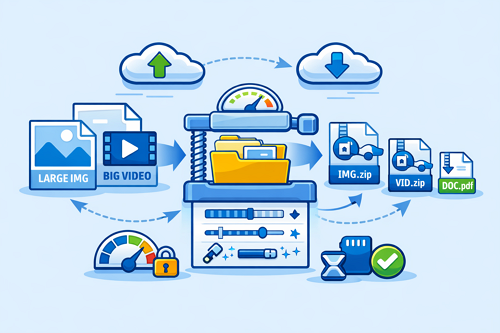
How to Reduce File Size Without Losing Quality (Smart Optimization Guide)
When managing and sharing files through platforms like Keep2Share, large file sizes can quickly become a problem. Slow uploads, limited storage, and longer download times affect efficiency. The good news is that you can reduce file size without sacrificing quality by using the right optimization techniques.
-> Go to k2s.cc and create Premium Account
Why File Size Optimization Matters
Large files consume more bandwidth and take longer to transfer. Optimizing them helps you:
- Speed up uploads and downloads
- Save valuable storage space
- Improve sharing performance
- Maintain professional-quality output
Smart Ways to Reduce File Size
1. Use Compression Tools Wisely
Compression is the fastest way to reduce file size without major quality loss.
- ZIP or RAR for documents and mixed files
- H.265 (HEVC) for video compression
- Adjust compression levels instead of using maximum settings
2. Optimize Images and Videos
Media files are usually the biggest contributors to storage usage.
- Slightly reduce video bitrate while keeping visual quality
- Resize resolution only when necessary
- Convert images to WebP or optimized JPEG formats
3. Remove Hidden Data
Many files contain unnecessary embedded data.
- Strip EXIF data from images
- Remove unused audio tracks or subtitles
- Clean metadata from documents
4. Choose Efficient File Formats
| File Type | Less Efficient | Better Alternative |
|---|---|---|
| Image | PNG | WebP / JPEG |
| Video | AVI | MP4 (H.264/H.265) |
| Audio | WAV | MP3 / AAC |
| Scanned Docs | BMP | Compressed PDF |
Best Practices for Safe Compression
- Always test quality after compression
- Keep original files as backups
- Avoid recompressing already compressed files
- Use reliable tools like HandBrake, Adobe Media Encoder, or TinyPNG
Final Thoughts
Effective file compression is not about reducing quality aggressively, but about using smarter settings and formats. With the right approach, you can significantly reduce file size while keeping content clear and usable—making platforms like Keep2Share more efficient for everyday sharing.
If you want to understand the basics of managing and storing files more effectively, check out File Hosting Made Simple: A Beginner-Friendly Guide to Storing and Sharing Files for a complete introduction.
-> Go to k2s.cc and create Premium Account

